Applied Computing
BenefitStep
Source-linked preparation of CalFresh and Medi-Cal application drafts.
Can a family prepare a CalFresh or Medi-Cal application from the documents they already have, without sending those documents anywhere?
BenefitStep reads pay stubs, bills and receipts on the user's own computer and fills in drafts of California's official CalFresh and Medi-Cal forms.
Each detail stays linked to the document it came from, and the user confirms or corrects it before it reaches a form. The family then signs and submits the application themselves; BenefitStep does not decide eligibility or submit anything.
How It Was Tested
Local text reader, version 0.3.11 · 26 fictional test files · on-device AI off
- Filled-in values that match the document
- 66 / 68
- 97% of the values the reader produced
- Dollar amounts correct
- 17 / 17
- Every amount it filled in matched the document
- Reference fields found
- 18 / 27
- The other 9 were left blank instead of guessed
A small development test on documents written for the project, not a held-out test or a measure of accuracy on real paperwork. 97% is the share of filled-in values that were right, not the share of an application completed. In one file holding two documents, a matching value was attached to the wrong one; counting it as an error gives 65 of 68 (96%).
The Extension in Use
Screenshots from the extension.
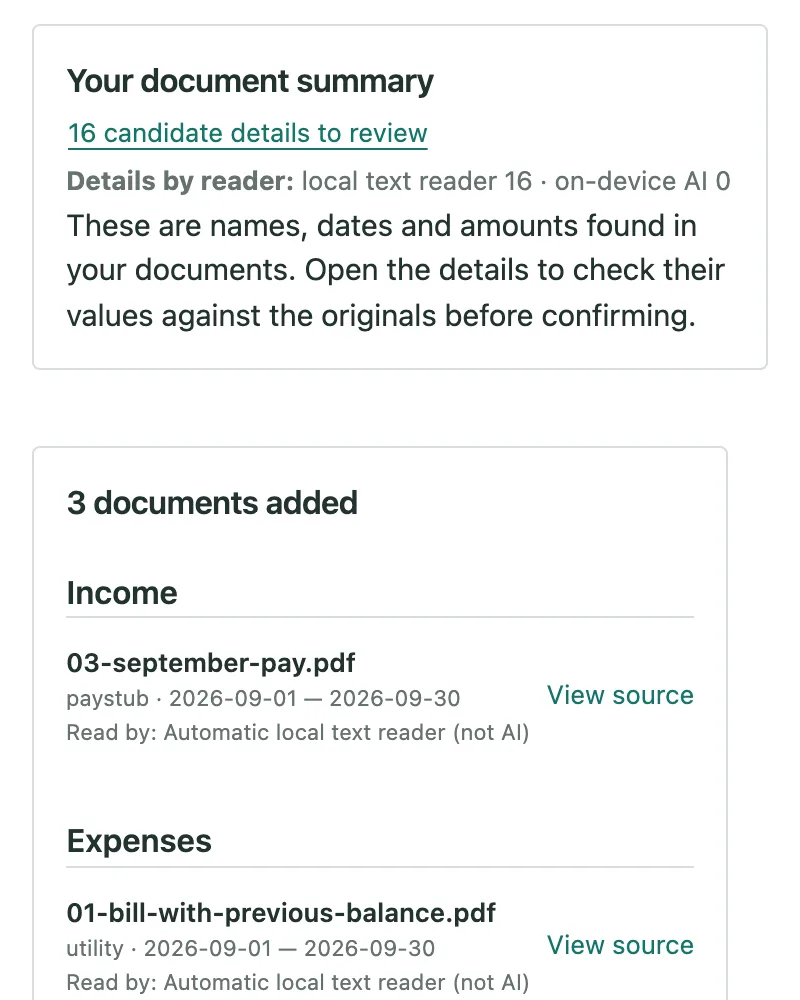
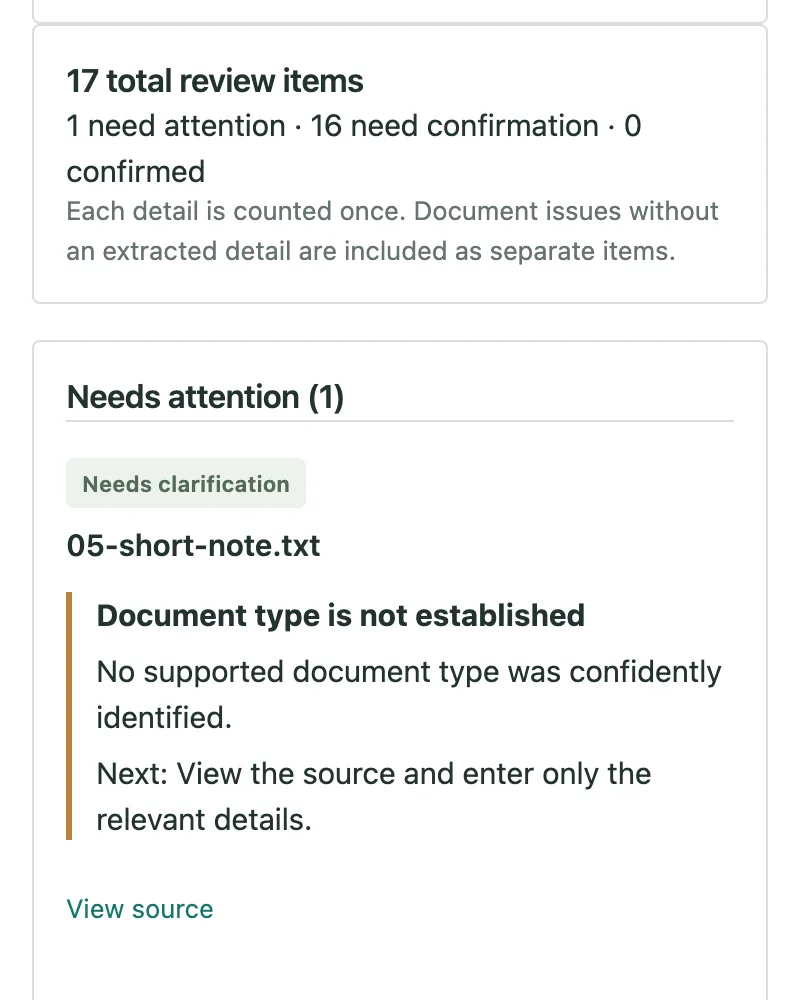
These screens show the extension's built-in example household. Its people and documents are fictional.
How It Works
Four steps, at the user's own pace.
Quick check
Optional. A few questions compare household income with the CalFresh income guide: a first look, not a decision.
Add documents
Pay stubs, rent receipts, bills and letters, as PDFs or photos. BenefitStep finds the names, dates and amounts.
Review
Each detail appears beside the document it came from, to be corrected or confirmed.
Get the drafts
Confirmed details fill California's official forms as unsigned drafts, with a list of what is still missing.
Under the hood: a bundled classifier suggests each document's type and a local text reader extracts its details; optional Chrome on-device AI can read supported photos and scans. Package Doctor then checks the collected information for gaps, such as a person in a document who is missing from the household or income without recent evidence, and keeps each question open until it is answered. Drafts cover the CF 285 CalFresh and CCFRM604 Medi-Cal applications, the CF 37 recertification and the SAR 7 periodic report.
What I Did
I researched the difficulties families face with CalFresh and Medi-Cal paperwork and designed BenefitStep around them: documents processed on the user's device, every answer linked to its source, and confirmation before anything reaches a form. I directed the implementation and testing, using AI coding tools to generate the code and unit tests, and published the extension.
- Researched CalFresh and Medi-Cal application and reporting requirements
- Designed the workflow from quick check to draft forms
- Set local processing and source-linked review as design requirements
- Directed AI coding tools on what to build and which cases to test
- Directed the reader evaluation on 26 fictional test files
- Published on the Chrome Web Store and released the source